Food and habits
How to track homemade meals and meal-prep macros
By Uptick5 min read
To track a homemade meal, record the ingredients and amounts in the portion you eat, then check the nutrition total. Save a meal you repeat so next time you can start from that entry and adjust what changed. Uptick includes saved meals in its free calorie and macro tracking app for iOS and Android.
A homemade lunch does not have one barcode covering the whole bowl. It might have rice, chicken or tofu, vegetables and a sauce, each with its own portion. The first entry takes a little attention. A useful saved meal makes the next one much easier.
Start with the meal you actually make
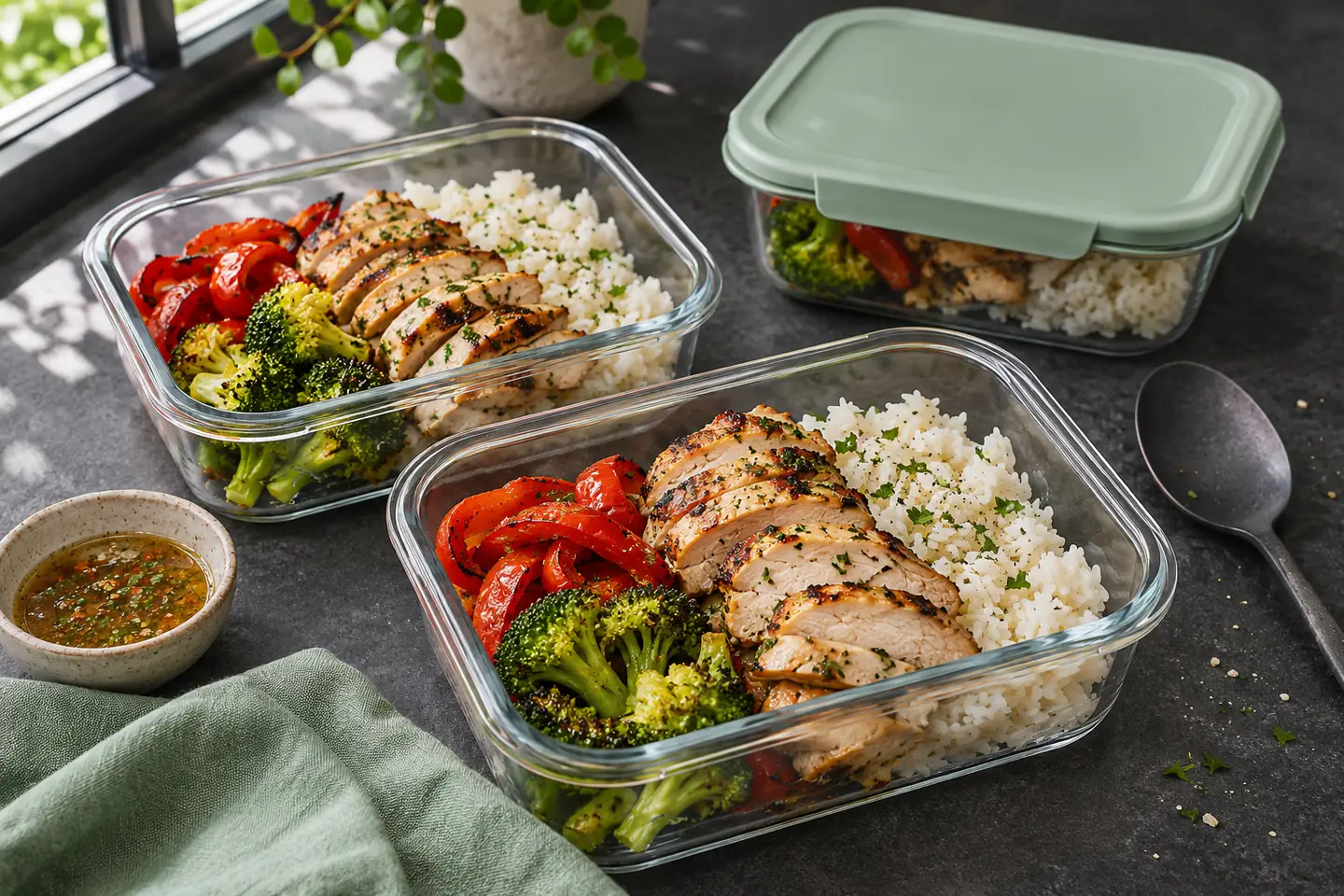
Take a familiar rice bowl. Write down what goes into it: rice, your chosen protein, vegetables, cooking oil, sauce and any toppings. This is a way to describe your own lunch, not a recipe you need to follow. Use the foods you normally buy and the amounts you actually prepare.
Find each ingredient through search, barcode scanning or manual entry. Check the product where a brand matters, especially for sauces, marinated foods or ready-cooked ingredients. A plain ingredient and a prepared version may have different nutrition values.
If a package has a useful label, keep it nearby while you make the first entry. The aim is to create a dependable starting point for a meal you repeat, rather than picking the first result with a familiar name.
Match the amount to the right entry
Check whether a food record describes the ingredient raw, dry, cooked or prepared. The amount you enter needs to use the same basis. If you weighed dry rice, use an entry for dry rice. If you weighed cooked rice, use an appropriate cooked entry.
Cooking can change a food’s weight as water is absorbed or lost. That is why a measured amount of dry rice and the same measured amount of cooked rice are not interchangeable in a diary. Avoid using a raw entry just because it has the same food name as the cooked ingredient on your plate.
For packaged ingredients, read any “as sold” or “as prepared” wording. Check whether the nutrition already includes ingredients added in the suggested preparation. The NHS label guide also explains why per-100 g information and suggested portions need to be distinguished from the portion you eat.
Include the parts that are easy to forget
A bowl is more than its largest ingredients. Oil, dressing, cheese, seeds and sauces can all contribute to the total. Record them when you want those details reflected in your diary. This is about describing the meal, without giving ingredients a good or bad label.
Use a quantity you can reasonably establish. If a sauce has a label, check the serving size or weigh the amount you use. A “spoonful” can mean different amounts, so a measured serving is easier to repeat than an undefined one.
You will not always know every detail, particularly when someone else cooked. Use a reasonable estimate and recognise its limits. Do not spend the rest of the day trying to turn an uncertain ingredient into an exact number.
Save the version you come back to
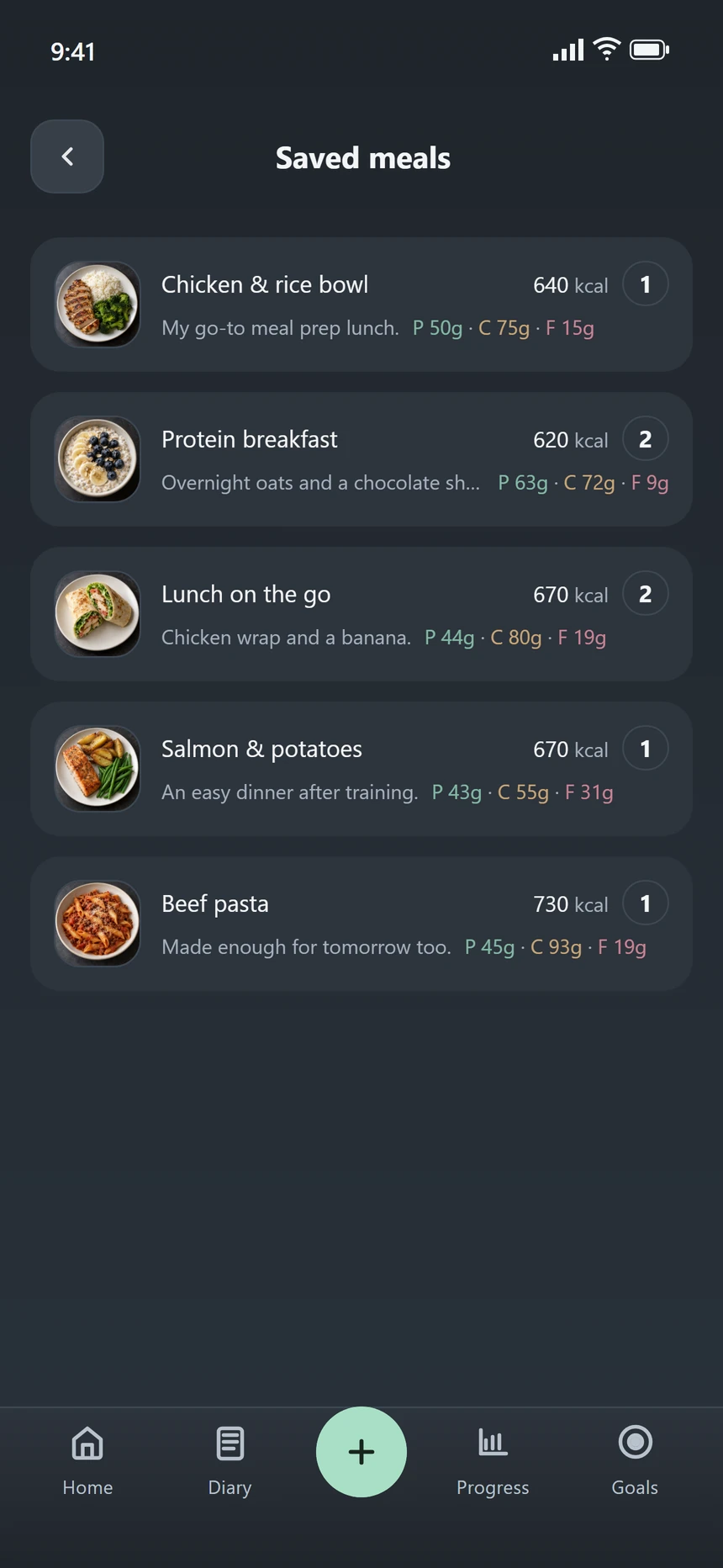
Once the foods and amounts represent one of your usual portions, save the meal in Uptick. Give it a name you will recognise later, such as “Chicken rice bowl” or “Tofu lunch”. The free saved-meal feature keeps that combination ready to use again.
Next time, start from the saved meal and choose the portions you are logging. Check anything that changed: perhaps you used more rice, swapped the protein or chose a different sauce. Reusing a checked entry saves effort; treating every lunch as identical can carry an old assumption into today’s diary.
A smaller set of useful regular meals is easier to maintain than a long collection of nearly identical entries. Start with the breakfast or lunch you eat most often, then add another when it earns a place in your routine.
In Uptick
Your regular lunch, ready.
Keep the combination you repeat. Choose your portions when you log it again.
For meal prep, work out your share of the batch
When cooking several portions together, first establish the nutrition of the ingredients used for the whole batch. Then work out the fraction you eat. Work out this share before entering the portion in your diary.
For example, four genuinely equal portions each represent one quarter of the batch’s calories and each macro. You divide each total by four. That only works if the ingredients are distributed reasonably evenly. Four containers do not necessarily mean four equal portions.
For a well-mixed dish, you can also compare the weight of your portion with the finished batch weight, excluding the container. A 300 g portion from a 1,200 g batch is one quarter, so multiply each batch nutrition total by 0.25. These weights illustrate the arithmetic; they are not portion recommendations.
For separate components, check each one. A lunch box with extra chicken and less rice is not simply a heavier version of an evenly mixed batch. Record those ingredients in the proportions you actually packed.
Recheck when the meal changes
A different brand, a new recipe or a larger portion can change the numbers. Review a saved meal when those details change, and check the final entry for surprising quantities or duplicated ingredients.
You can also use Uptick’s photo or voice logging to start an estimate when you do not have all the ingredient details. Where you know your recipe and amounts, use that information to check the result. A photo cannot establish everything that went into a sauce.
Keep the routine practical: record the meal, save a useful version and adjust it when needed. The goal is a diary that reflects your food well enough to understand your habits, without rebuilding the same lunch from scratch every day.