Goals and progress
How to track progress beyond weight, with goals and milestones
By Uptick5 min read
A weight entry tells you one thing recorded on one day. It cannot tell you how manageable your meals felt, how often you followed your routine or whether the goal still fits your life. A useful progress review gives that number some context.
You can build that context with a small set of records, a regular review and a clear next milestone. Here is how to use nutrition, activity and body measurements together in Uptick, while keeping the focus on what matters to you.

Choose what you want your progress review to answer
Start with a question you care about. Are your regular meals getting easier to log? How does your recorded nutrition compare with your chosen targets? What does your measurement history show over time? The question helps you decide which information is worth keeping.
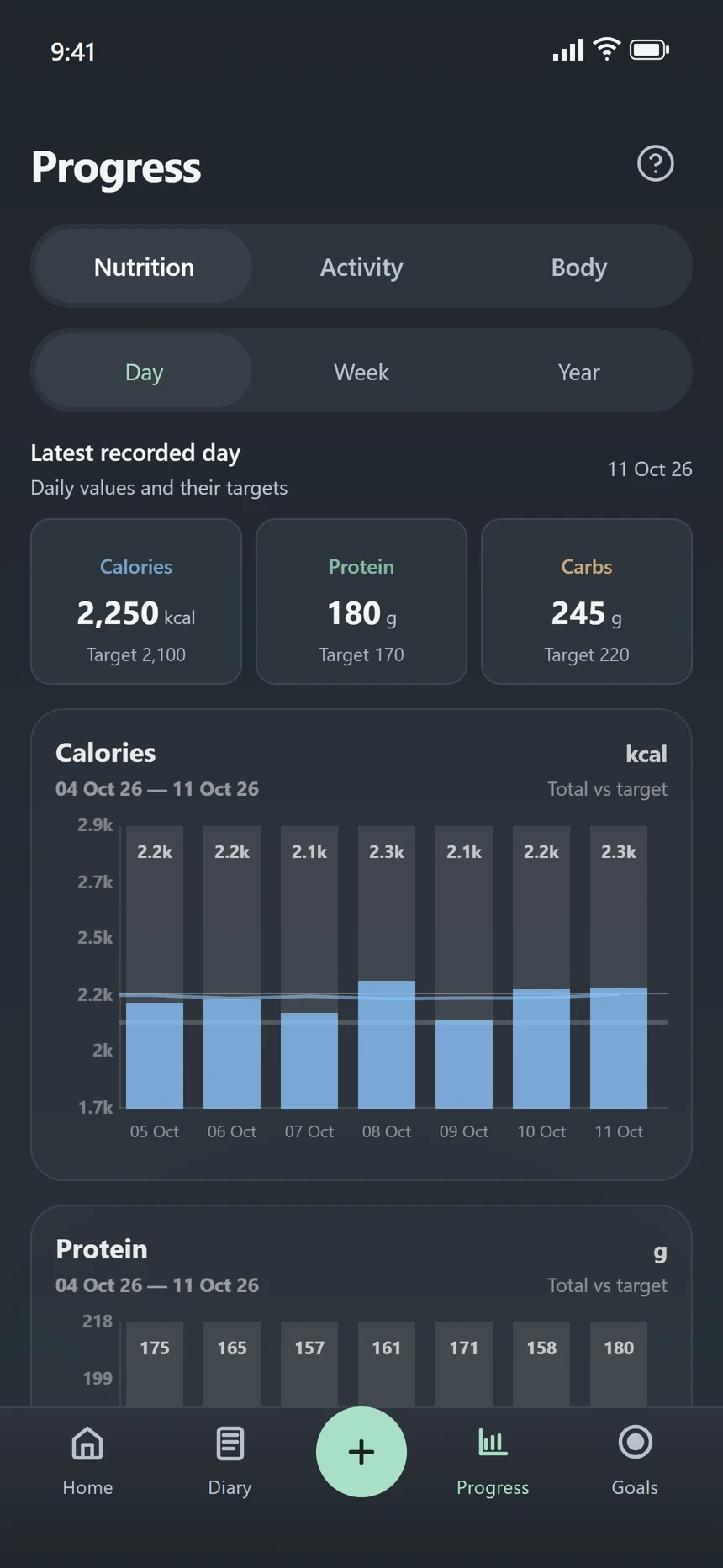
Uptick brings nutrition, supported activity data and body measurements into Progress. You can set targets for the areas that matter to you. You do not have to make weight change the purpose of using a food diary, and recording a metric does not require treating every change as a success or failure.
Keep personal observations alongside your review in whatever way suits you. The app’s numbers cannot fully capture enjoyment, energy, confidence or how sustainable a routine feels. Those observations can still inform the next choice you make.
Record body measurements with the correct date
For measurements you choose to track, comparable records make the history more useful. NHS England recommends using the same scales in the same place and weighing at a consistent time of day. Choose a recording routine that suits you rather than collecting readings simply because you can.
Uptick lets you manually log weight, body fat percentage, lean body mass and waist measurements. Open Add an entry, choose Body measurements, and select the date the reading was taken. You can return to a previous date to edit it. Saving updates that day’s reading for each measurement.
Do not fill a gap with a guessed measurement just to make a chart look complete. If you are entering an older reading, use its original date. Correcting an accidental unit or typing error is more useful than keeping a misleading entry in the record.
Look at the record before judging the result
Before comparing two weeks, check what each contains. Were the same kinds of information recorded? Is a meal missing? Did you connect a new activity source? A change in how you logged can change a summary even when your routine stayed similar.
Uptick’s weekly and monthly reviews help you step back from an individual day. Use them to look for patterns across the available history, then decide whether the record is complete enough to answer your original question.
For example, a week with several unlogged evening meals cannot tell you your full weekly intake. You can still learn which meals were easiest to record and simplify the next week. A useful review can reveal a practical improvement without producing a verdict about your body.
In Uptick
Give today some context.
Look across your recorded history before deciding what to change next.
Use a milestone that stays put while you work towards it
A longer-term target can feel abstract when it is far from your current reading. A smaller checkpoint gives you a nearer point to recognise. We think that checkpoint should stay fixed while you track, so you can see when you actually reach it.
For supported weight, body fat and lean mass goals, Uptick can suggest a milestone from your recorded measurement towards your chosen target. It stays in place as new readings arrive. When a reading reaches it, Goals shows a celebration and lets you choose whether to set the next suggested milestone.
You can set the next checkpoint or leave it for later. Reaching the final target is recognised too. If you change your overall target, the checkpoint is recalculated for that goal. A milestone is a marker towards your chosen destination, without a promised completion date or a judgement that the destination is medically appropriate.
Choose whether measurements connect to your health app
With your permission, Uptick can read supported records from Apple Health or Health Connect. Manual body measurements can also be shared back after you grant write access. Available categories depend on the platform, and waist sharing is supported by Apple Health only.
Health sharing is optional. Your diary and imported history are stored locally, and you can use manual records without enabling a health connection. Turning sharing off stops future sharing but leaves existing records in the health service. Those controls are separate from Uptick’s local diary.